Fanless Industrial PC for Parking System Integrators: JIERUICC GB2000-Ultra
A parking system needs more than cameras and barriers. It also needs a computing platform that fits the enclosure, connects to the required peripherals, and runs the integrator’s software.
For parking equipment manufacturers and system integrators, selecting an industrial PC for parking systems starts with practical questions: Are the right interfaces available? Will the computer fit inside the terminal? Can its configuration match the application’s requirements?
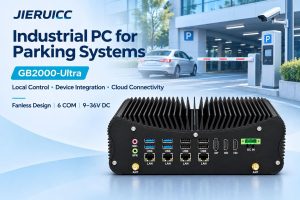
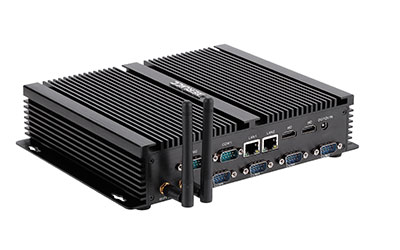
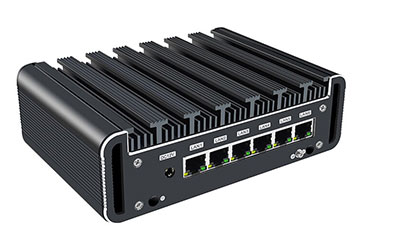
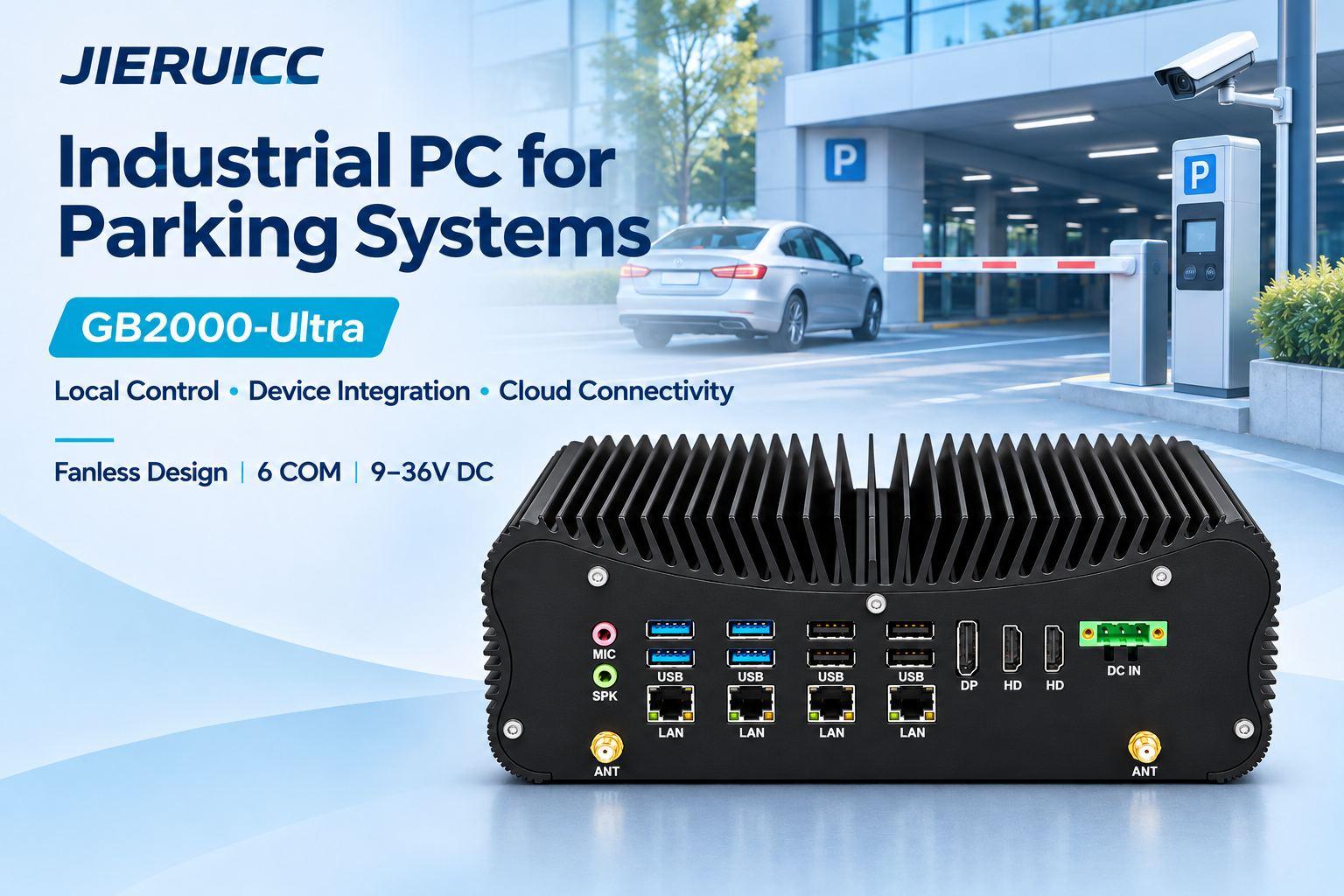
The JIERUICC GB2000-Ultra is a fanless industrial mini PC available with Intel Core Ultra processors, multiple serial interfaces, dual Ethernet with an optional four-port configuration, and 9–36V DC input. These features make it a hardware platform to evaluate for parking kiosks, access control cabinets, and on-site management terminals.
JIERUICC supplies the industrial PC hardware. Integrators deploy their own parking software and integrate cameras, readers, payment devices, and barrier controllers according to project requirements.
Where Can GB2000-Ultra Fit into a Parking Project?
Parking Entry and Exit Control Cabinets
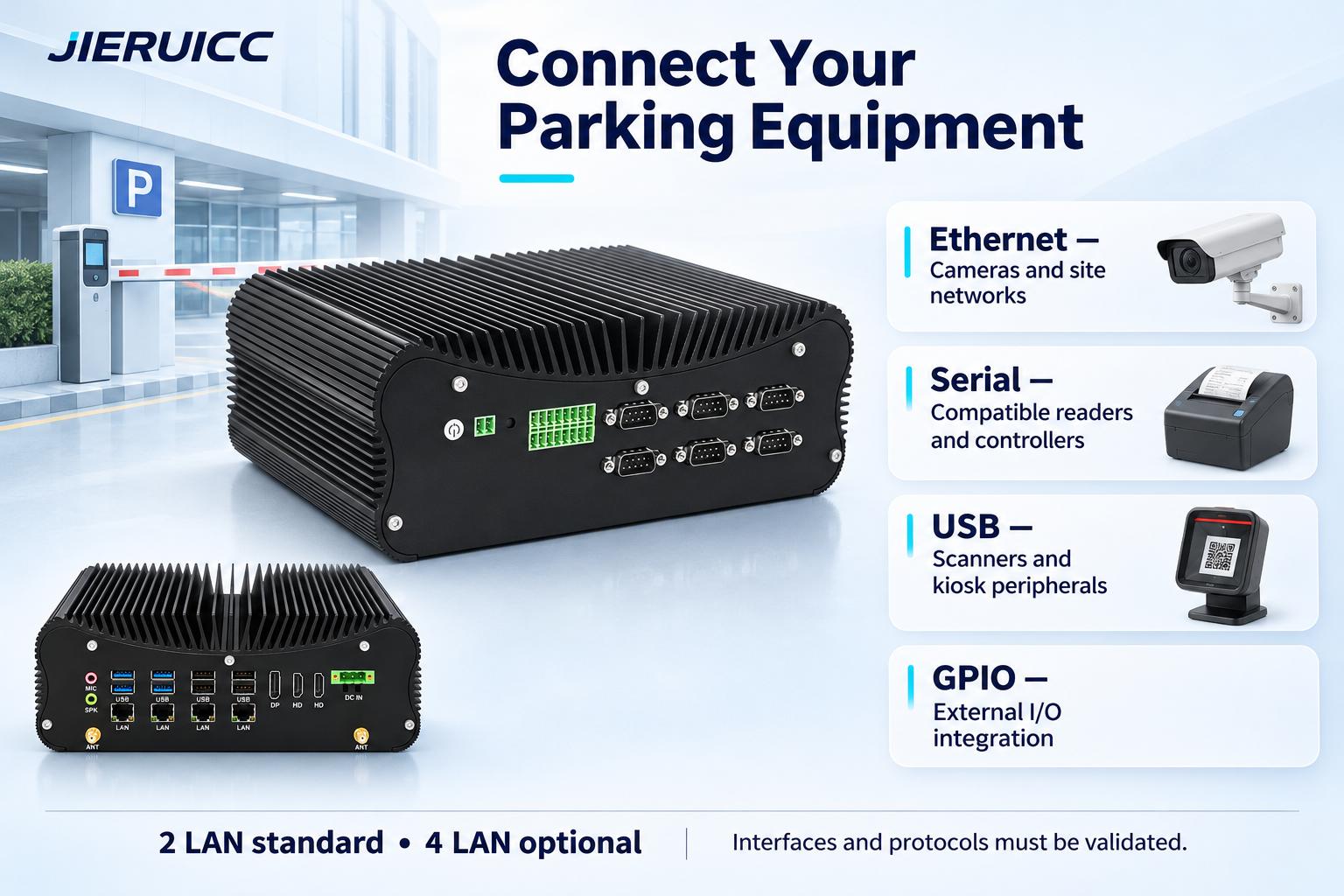
A computer installed in a parking control cabinet can host the integrator’s application and communicate with compatible lane equipment. Ethernet and serial interfaces provide connection options for cameras, readers, and controllers.
For projects using cameras with built-in automatic number plate recognition (ANPR/LPR), the application may receive recognition results through a supported camera API. If recognition runs on the PC, the software supplier should define the processing requirements and validate performance on the selected configuration.
Self-Service Parking Kiosks
A parking payment kiosk may need a computer to run its user interface and communicate with a touchscreen, QR scanner, ticket reader, or receipt printer.
The GB2000-Ultra provides USB, serial, and display interfaces that can be evaluated for these peripherals. Payment-terminal compatibility depends on the payment provider’s integration method and the application—not simply on the availability of a connector.
On-Site Parking Management Terminals
A site management terminal can provide an operator interface for the integrator’s parking application. The GB2000-Ultra offers two HDMI outputs and one DisplayPort for projects requiring operator or customer-facing displays.
Display resolutions, simultaneous output modes, and application behavior should be confirmed for the selected configuration.
Hardware Features Relevant to Parking System Integration
| Hardware feature | Relevance to a parking project |
|---|---|
| Intel Core Ultra 5 125U / 225U and Core Ultra 7 165U / 255U options | Select a processor around the parking software supplier’s requirements. |
| Two DDR5 SO-DIMM slots | Configure memory for the application and its background services. |
| Two M.2 2280 NVMe storage slots | Provide storage options for the OS, application, and locally retained data. |
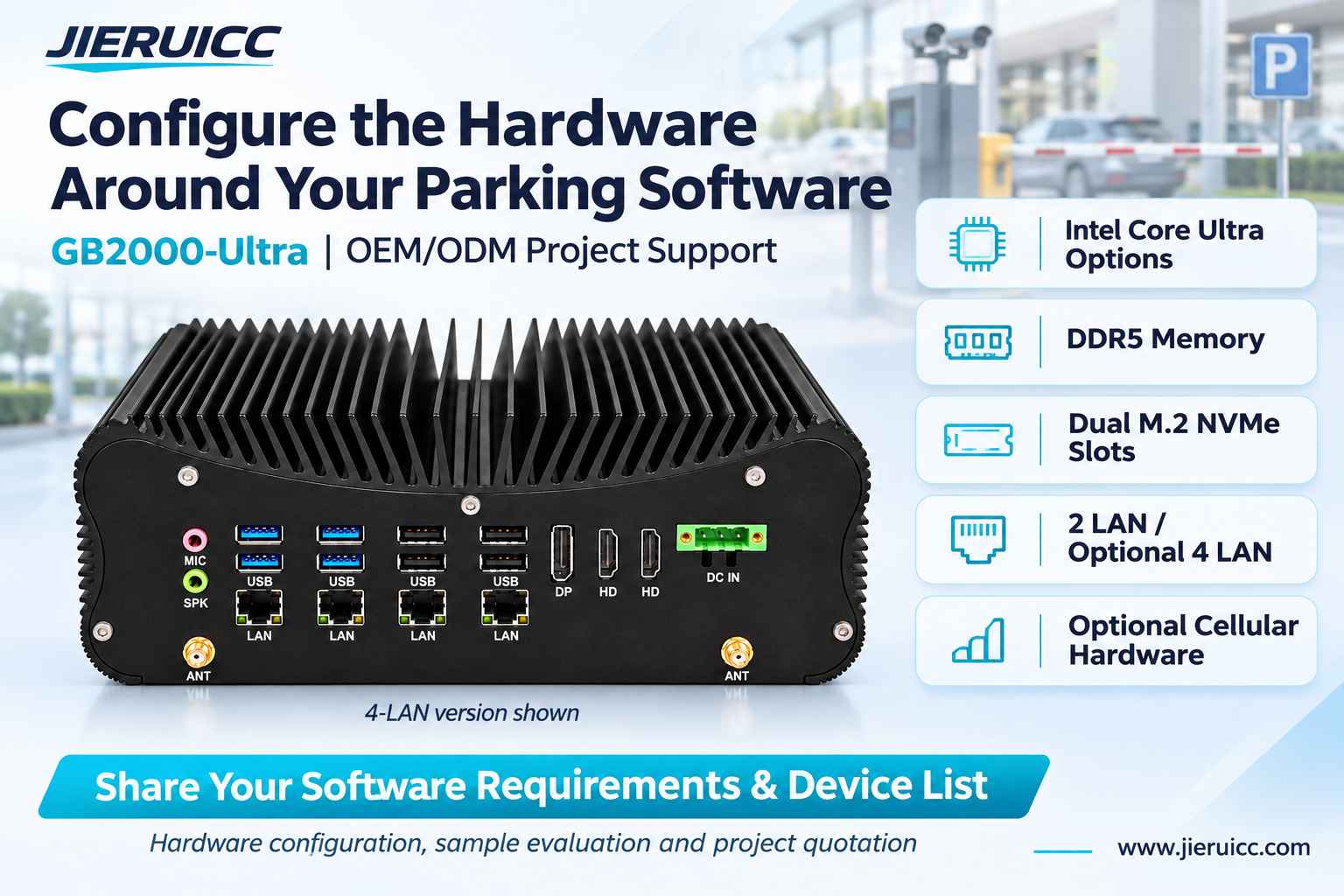
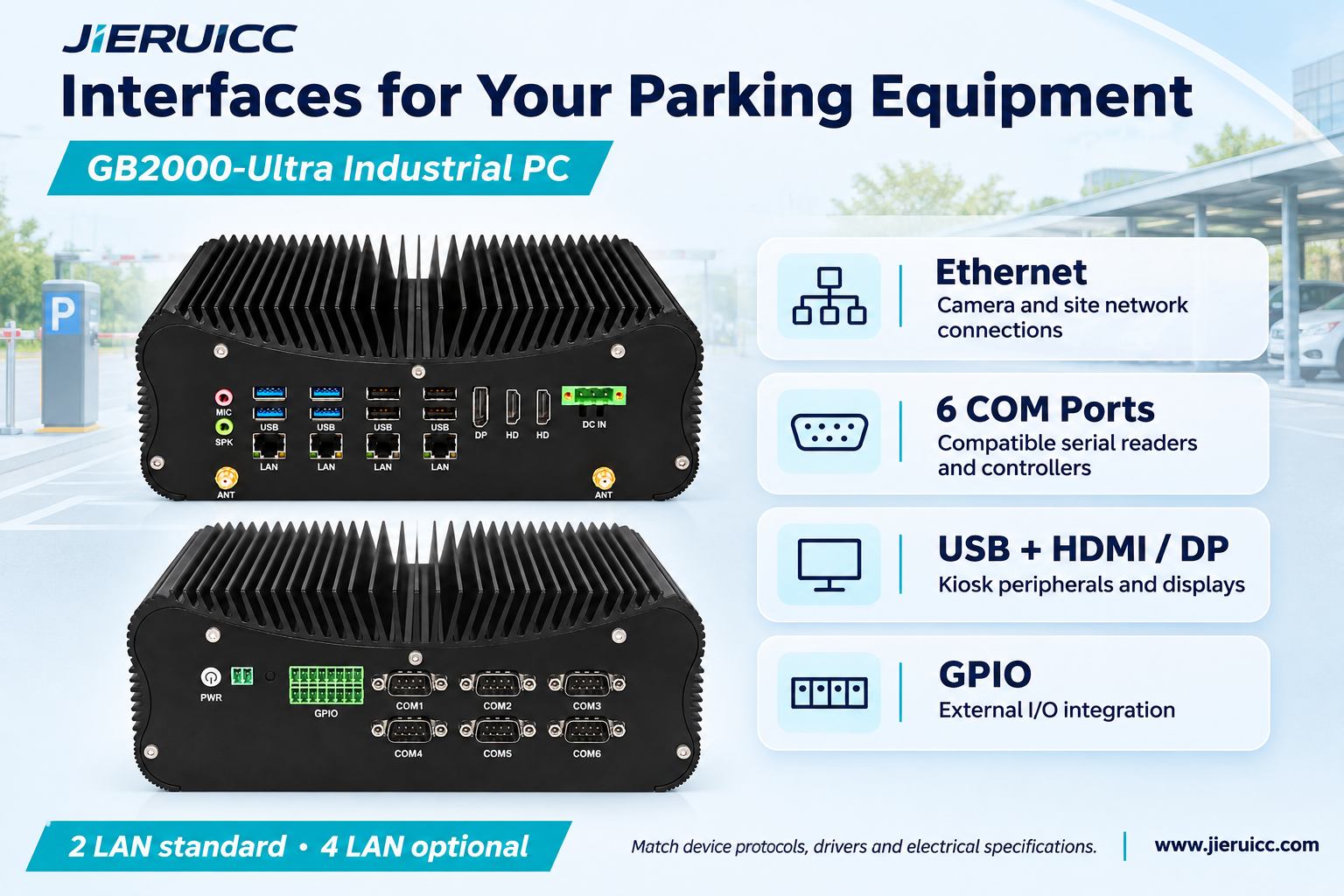
| Two 2.5GbE LAN ports; four-port configuration optional | Connect to device networks and site infrastructure according to the integrator’s network design. |
| Six DB9 COM ports; four support RS422/RS485 | Provide serial connection options for compatible parking peripherals and controllers. |
| GPIO, specified as seven inputs and seven outputs | Provide an interface for project-specific external I/O integration. |
| USB interfaces, two HDMI outputs and one DisplayPort | Support compatible kiosk peripherals and displays. |
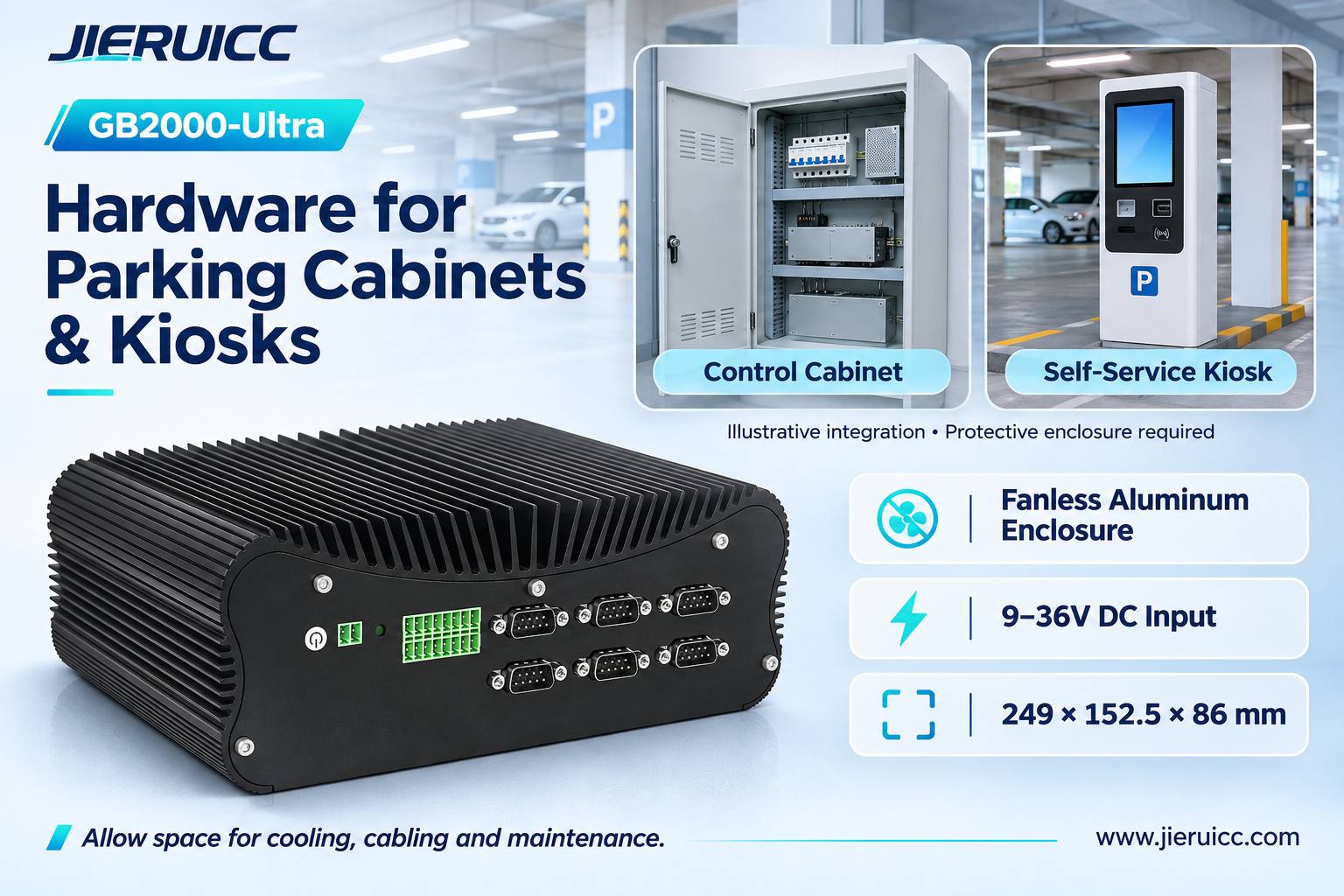
| 9–36V DC input through a three-pin terminal | Accommodate suitable DC supplies used in control cabinets and terminals. |
| Fanless aluminum enclosure | Eliminate an internal cooling fan and provide passive heat dissipation. |
| 249 × 152.5 × 86 mm chassis | Provide a defined footprint for enclosure planning. |
| Optional cellular module support with an onboard SIM slot | Provide a hardware option for projects requiring cellular connectivity. |
Final CPU, memory, storage, network, and interface configurations should be confirmed when ordering.
Connecting Parking Peripherals: Start with Interfaces and Protocols
A useful hardware review begins with the exact models of the devices that will connect to the computer.
Ethernet for Cameras and Site Networks
The standard dual-LAN configuration provides two physical network interfaces. A four-LAN option is available for projects requiring additional connections.
Depending on the system design, these ports may connect to camera networks, device switches, or site infrastructure. Additional ports do not automatically provide network isolation; addressing, routing, and access controls remain part of the integrator’s configuration.
PoE output is not specified for the PC. Cameras requiring Power over Ethernet need a suitable external PoE switch or injector.
Serial Ports for Compatible Readers and Controllers
The six DB9 COM ports are relevant to projects that use serial peripherals. Four COM ports support RS422/RS485, subject to confirmation of the port assignments and configuration.
Before selecting a connection, check the device’s electrical standard, pinout, and communication protocol. A reader using Wiegand, for example, requires an appropriate controller or converter rather than a direct serial connection.
USB and Display Connections for Kiosks
USB connections can be used with supported scanners, touch interfaces, and printers. HDMI and DisplayPort provide video output options for kiosk screens and operator displays.
Confirm the required USB quantity, peripheral drivers and display arrangement against the ordered configuration and software environment.
GPIO for External I/O Integration
GPIO can be relevant when a project needs external status inputs or control signals. The electrical ratings, pin definitions, and any required isolation or relay interface must be checked before use.
The PC is not a barrier motor controller. Barrier actuation and safety functions remain with the dedicated barrier equipment.
Fanless Design and DC Power for Cabinet Integration
The GB2000-Ultra uses a finned aluminum enclosure for passive cooling. Removing the internal cooling fan removes one moving component from the computer, which can be useful when equipment is installed inside a kiosk or cabinet.
Fanless construction still requires space for heat dissipation. Allow clearance around the enclosure and room for connectors, cable bends, and maintenance access.
The 9–36V DC input provides flexibility when matching the PC to a suitable regulated cabinet supply. Power planning should account for the complete computer configuration and connected loads.
The supplied specification lists an operating temperature range of −20°C to +60°C. Confirm the selected memory, storage, and other components for the project environment, and validate operation inside the finished enclosure. For exposed parking locations, use a suitable protective cabinet or kiosk; no outdoor IP rating is stated for the PC itself.
Match the Configuration to Your Parking Software
The right processor and memory configuration depend on what the software does.
An application receiving recognition events from intelligent cameras has different computing requirements from software that processes video streams for ANPR on the PC. A kiosk application may place greater emphasis on peripheral drivers, touchscreen behavior, and payment integration.
Provide your software supplier’s recommended hardware requirements when requesting a configuration. Useful information includes:
- Operating system and version.
- Processor and memory requirements.
- Whether ANPR runs in the camera or on the computer.
- Number and type of connected peripherals.
- Display requirements.
- Local data storage and retention requirements.
The two NVMe slots offer flexibility for storage selection. If the application stores parking records or images locally, size the drives around its retention and write-workload requirements. Offline operation and cloud synchronization are functions of the integrated software, rather than built-in parking features of the PC.
There is no universal lane or camera capacity implied by the hardware specification. Validate the complete application on a sample configuration before project rollout.
OEM/ODM Hardware Options for Parking Equipment Manufacturers
Parking equipment manufacturers may need different configurations for a compact kiosk, a lane cabinet, or a site management terminal.
JIERUICC can discuss GB2000-Ultra hardware requirements, including:
- Processor, memory, and NVMe storage configuration.
- Standard dual-LAN or optional four-LAN configuration.
- Optional wireless or cellular hardware.
- Required serial interfaces and GPIO documentation.
- OEM/ODM branding and other project-specific customization requests.
Customization scope, feasibility, minimum order quantity, and lead time should be agreed for the specific project.
For repeat deployment, confirm the approved hardware configuration and discuss how any component changes will be communicated. A sample evaluation gives your team an opportunity to check software installation, driver support, peripheral connectivity, and physical fit before volume purchasing.
Frequently Asked Questions
Does JIERUICC provide a complete parking system?
JIERUICC’s role in this solution is to supply the industrial PC hardware. Parking software, cameras, payment equipment, barrier controllers, and system implementation are provided or integrated by the customer and their solution partners.
Can GB2000-Ultra run our existing parking software?
Compatibility depends on the software’s OS, processor, memory, and driver requirements. Share those requirements and evaluate your application on the selected hardware before deployment.
Are four LAN ports standard?
The specification lists two LAN ports as standard, with a four-port configuration available as an option. Confirm the required version when requesting a quotation.
Can the PC connect directly to any parking peripheral?
No single hardware platform guarantees compatibility with every peripheral. The connector, electrical interface, protocol and software driver must all match. Providing the exact peripheral models helps define the required configuration.
Is cellular connectivity included?
Cellular connectivity is optional. It requires a compatible module, suitable antennas, a SIM and data service, plus the necessary software configuration.
Can the PC be installed outdoors?
It should be installed inside a suitable protective enclosure for the site conditions. Check cabinet temperature, ventilation, moisture protection, and maintenance access as part of the equipment design.
Discuss Your Parking Project’s Hardware Requirements
Choosing a fanless industrial PC for parking systems is about matching the computer to your application, interfaces, and enclosure.
If you are developing a parking kiosk, upgrading lane equipment, or sourcing computers for a parking solution, send JIERUICC:
- Your software’s hardware requirements and operating system.
- The number and type of LAN, COM, USB, and display connections.
- Peripheral models and any available interface specifications.
- Installation space, DC supply, and expected cabinet temperature.
- Required memory, storage, and optional communication modules.
- Sample quantity, estimated production quantity, and OEM/ODM requirements.